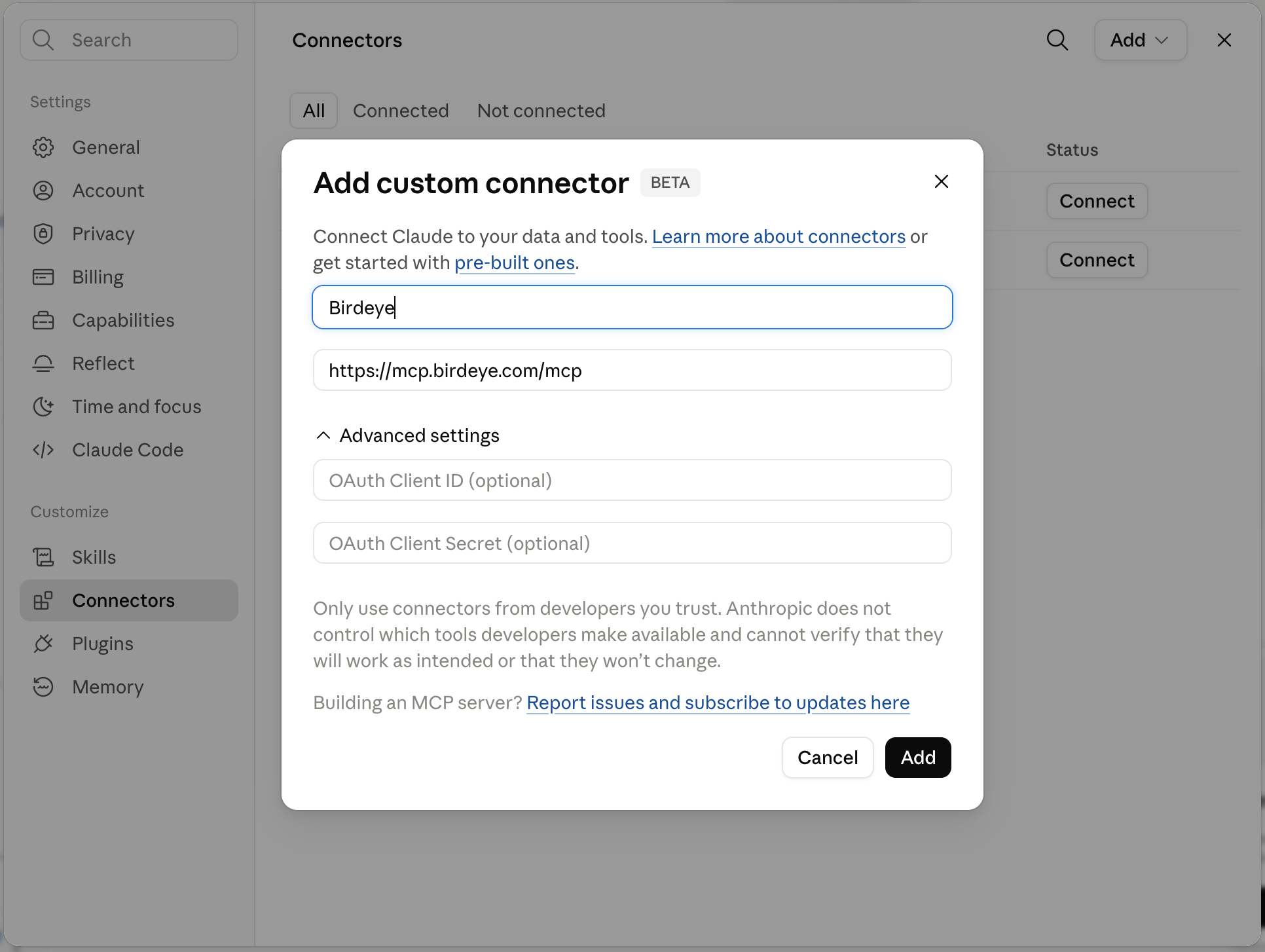
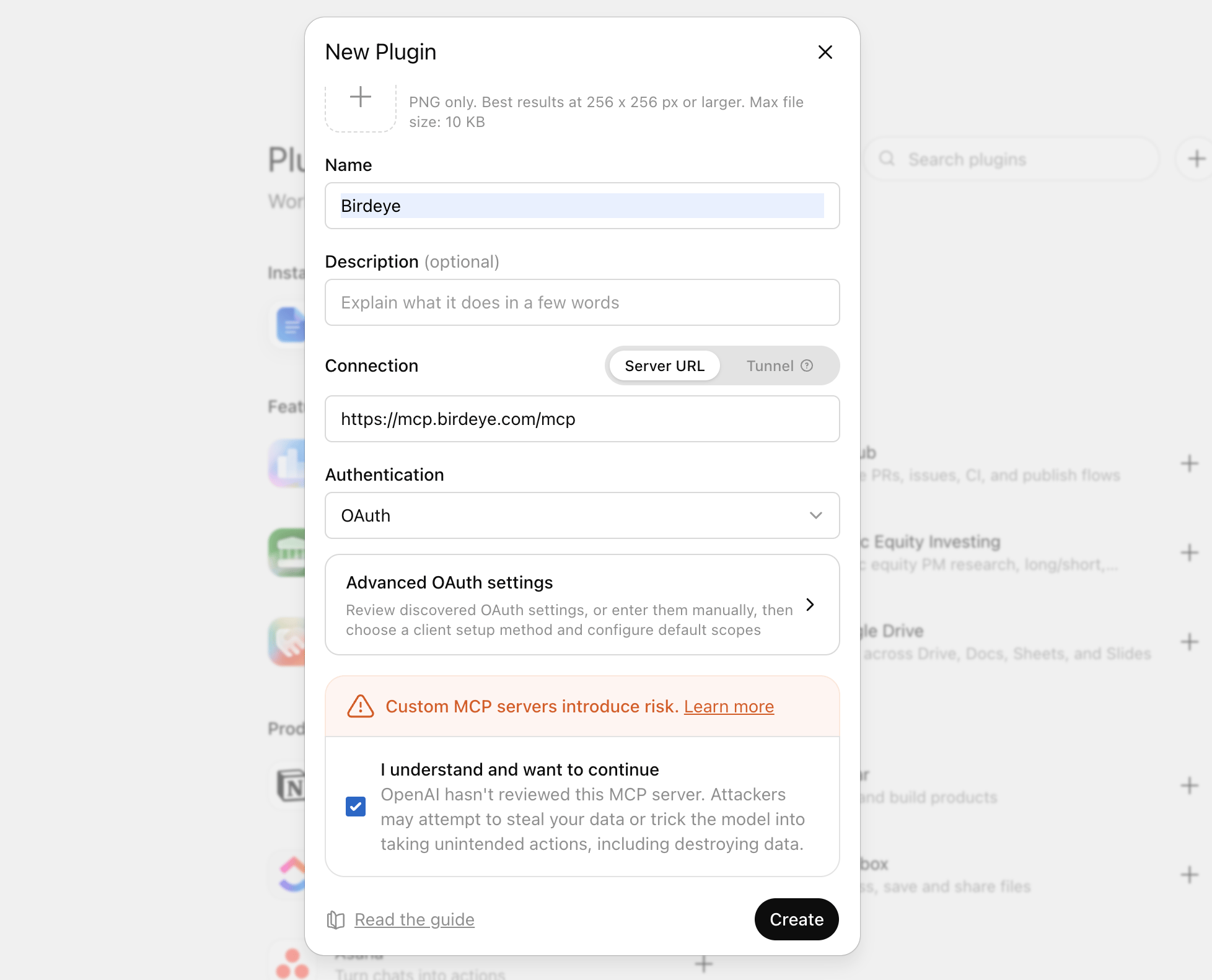
EU accounts: use https://mcp-eu.birdeye.com/mcp instead.
Choose Authentication as OAuth
Check I understand and want to continue → click Create
Authorize with your Birdeye credentials
Start a new conversation and ask anything about your Birdeye data by Mentioning Birdeye in chat.
Any client that supports MCP over Streamable HTTP can connect to Birdeye.Server URL (Global): https://mcp.birdeye.com/mcp Server URL (EU): https://mcp-eu.birdeye.com/mcp Transport: Streamable HTTP (stateless sessions) Auth: OAuth 2.0 with Dynamic Client RegistrationRefer to your client’s documentation for how to add an authenticated MCP server.
Verify the Connection
Once connected, try these prompts to confirm everything is working:
What is my business name and how many locations do I have?
Give me a review and rating overview for the last 30 days.
If the tools are connected correctly, your AI assistant will call the Birdeye MCP server and return live data from your account.
Next Steps
Authentication
Understand how OAuth 2.0 secures your data
Tools Overview
See all available tools and their parameters
Assistant
Responses are generated using AI and may contain mistakes.


 MCP